
Security and 2FA
Turn on two-factor authentication, store your recovery codes, and keep your account safe.
Two-factor authentication (2FA) adds a second step to sign-in: after your password, you enter a six-digit code from an authenticator app. Someone who steals your password still cannot get in.
Turn on 2FA
- Open Dashboard → Settings and find the 2FA row in the security card — it reads Not enabled until you turn it on.
- Choose how you want to verify: Authenticator or Email Code.
- For an authenticator, scan the QR code with your app — or type the manual entry key if the camera is not an option.
- Confirm with the six-digit code your app shows.
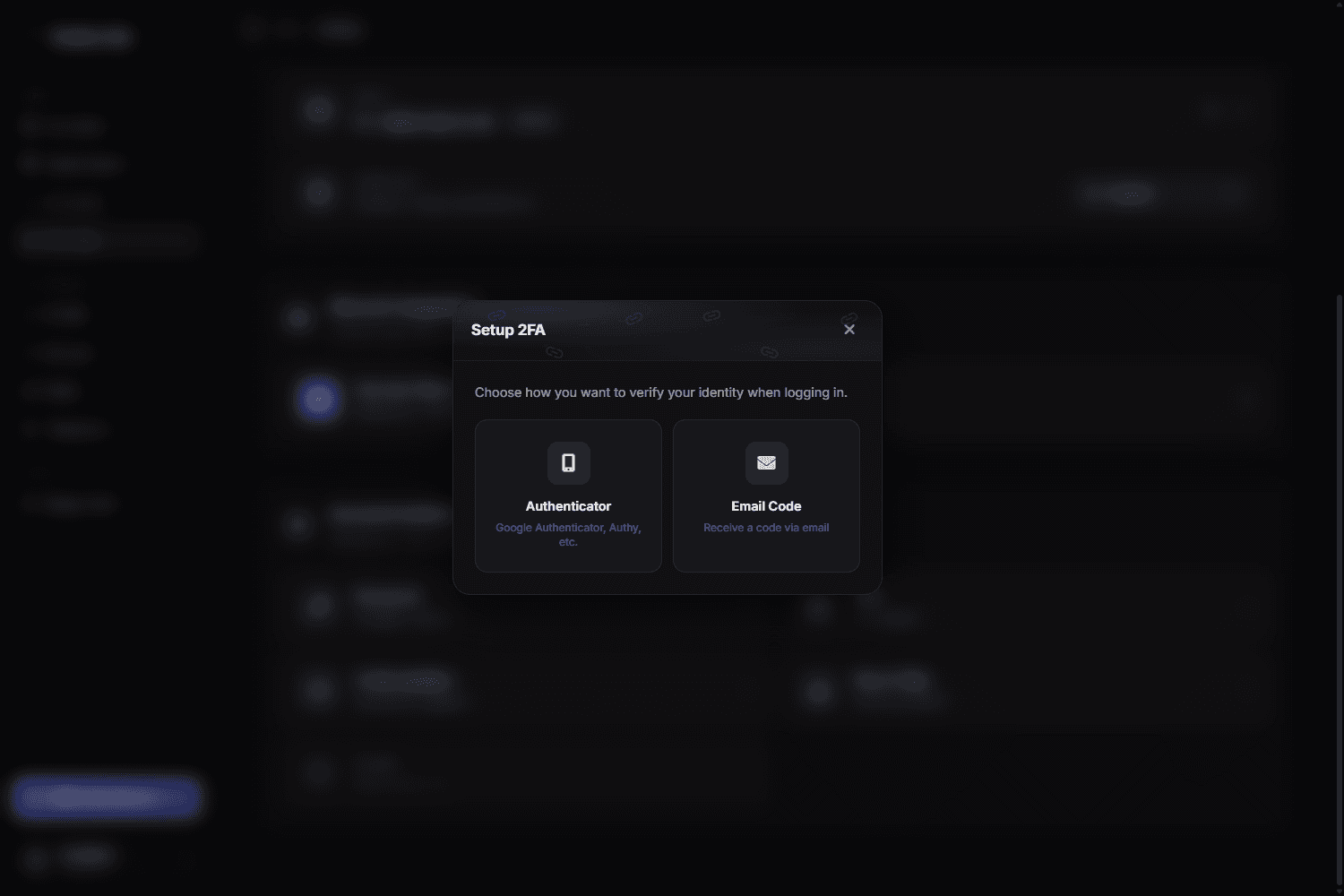
- Authenticator — a six-digit code from Google Authenticator, Authy, 1Password, Bitwarden or any other TOTP app. This is the stronger option — it keeps working even if your inbox is compromised
- Email Code — a code sent to your email address each time you sign in
Pick Authenticator and the dialog shows the pairing details:
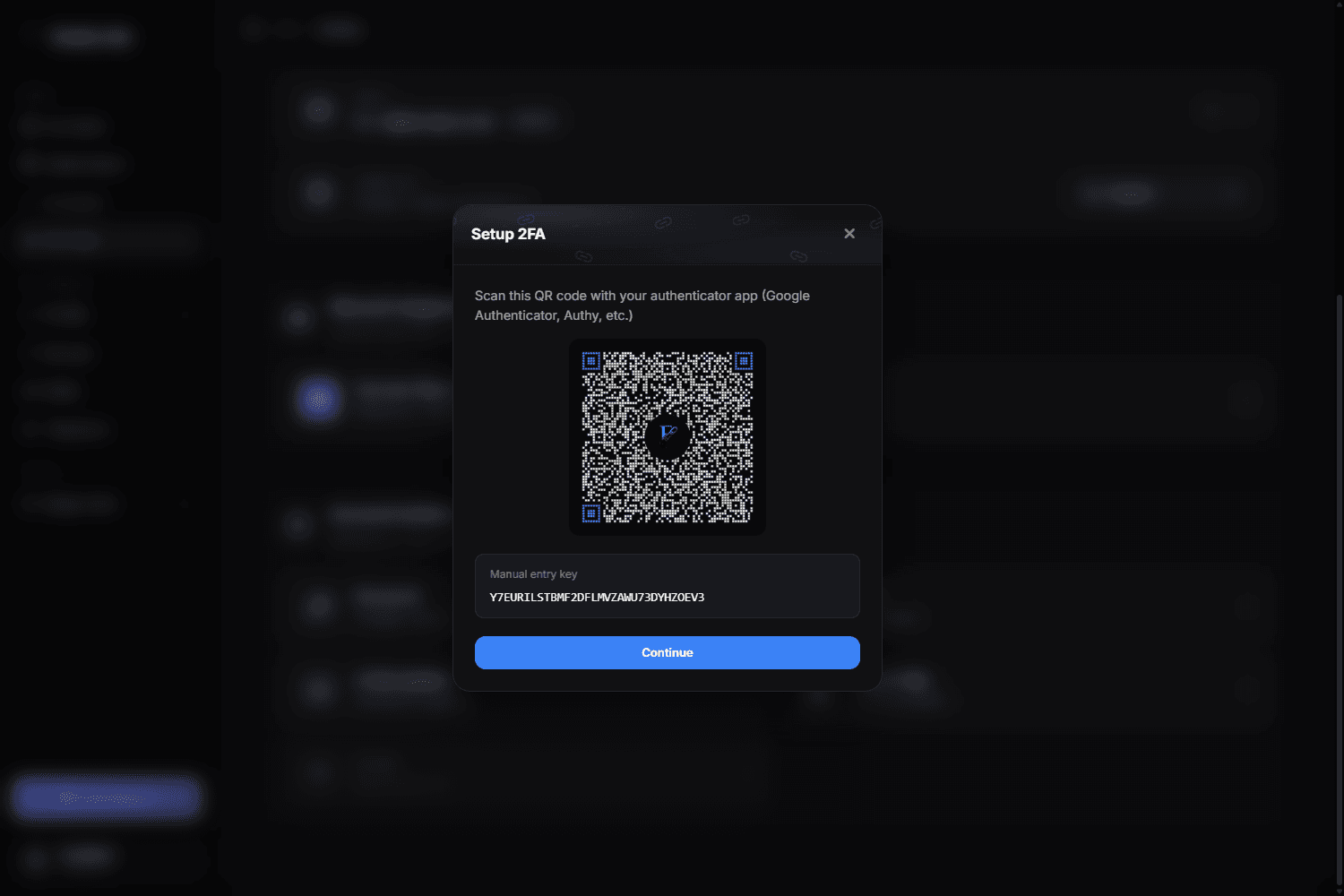
The QR code and the key are secrets
Anyone who photographs that screen can generate your codes. Never screenshot it, paste it into a chat, or show it on stream — including to someone claiming to be staff.
Store the recovery codes outside your phone
If your phone is the only place holding both your password manager and your authenticator, losing it locks you out of both. Keep the recovery codes in a second place — a password manager on another device, or printed.
Signing in with 2FA on
After your password you are asked for the current code. Codes rotate every 30 seconds; if one is rejected, wait for the next one and check that your device clock is set automatically — a clock that drifts by more than a minute breaks TOTP.
Recovery codes
Each recovery code works once and replaces the app code. Use one if you lose access to your authenticator, then re-enrol a new device immediately and generate a fresh set.
Turn off 2FA or get new recovery codes
Both live in Dashboard → Settings: select the 2FA row to turn 2FA off, or the Recovery Codes row to generate a fresh set. Either way you first confirm it is you:
- Enter your account password.
- Enter a second-factor code. With Authenticator, type the code your app shows. With Email Code, a new six-digit code is emailed to you as soon as the password is accepted — it is valid for 10 minutes.
- Finish with Disable 2FA or Show codes.
When turning 2FA off, one of your recovery codes also works in place of the app or email code. A new set of recovery codes replaces the old one — the previous codes stop working.
No email arriving?
Check your spam folder first. To get a new code, go Back and enter your password again — you can request up to five codes every 10 minutes.
Good habits
- Use a unique password for flexbio.link — reused passwords are the single most common way accounts are lost.
- Never enter your credentials on a site that is not
flexbio.link. We will never ask for your password on Discord. - Treat "free boosts / free badges, just log in here" links as phishing. Staff never ask for your password or your 2FA codes.
- Sign out of shared computers when you are done.
If you are already locked out, go to Account Recovery.