
Music and Audio
Upload tracks, manage playback, attach lyrics and choose the player style shown on your profile.
Open Profile → General, find the Audio card and select it to open the Audio Manager. Each uploaded track can have its own title, cover and lyrics.
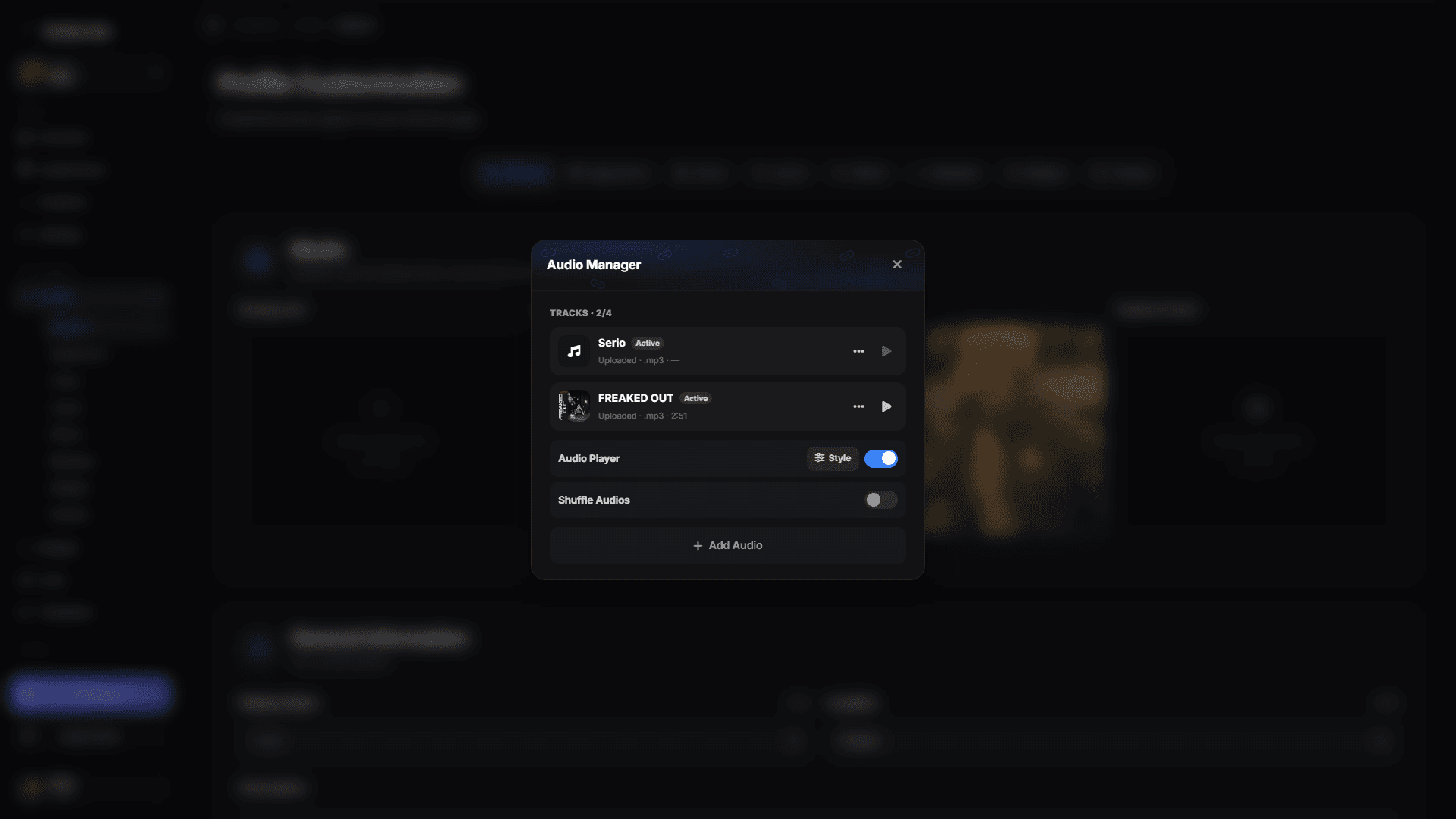
Manage tracks
- Play previews a track in the dashboard at a reduced volume.
- Open the three-dot menu to edit its title and cover, manage lyrics, enable or disable it, or remove it.
- Audio Player turns your profile music on or off. Off, nothing from the Audio Manager plays and the player is hidden — a background video set to Play with sound is heard instead (see Background).
- Shuffle Audios chooses a random enabled track for each visit and requires at least two uploaded tracks.
Add lyrics
Choose Lyrics from a track's three-dot menu. You can search for lyrics, upload a .lrc file, preview the attached text or remove it. Synchronized .lrc lines follow the playback time; plain lyrics are displayed without exact timestamps.
Choose a player style
Use Style in the Audio Manager or the sliders button on the Audio card. Two of the choices are positions for the built-in player — Bottom of card and Top Right — and the rest are widget styles: Pill, Rounded, Card, Playlist, Lyrics, Lyrics (top right), Ticker and Floating.
Picking a position uses the built-in player and silences the widget; picking a style switches to the widget and turns it on. Some styles require a particular width or placement; the editor applies those requirements automatically.
Cover-art Backdrop and Audio visualizer
Both switches sit in the Audio Manager.
Cover-art Backdrop puts the playing track's cover behind the player:
- Pill, Rounded and Card show it the way a widget banner looks. A banner you uploaded for the widget yourself takes priority.
- Playlist shows it behind the track list, and Floating and Bottom of card / Top Right blend it into the bar.
- The Lyrics card shows its cover background only while this switch is on.
Audio visualizer makes the card's glow pulse to the music, hitting hardest on the bass. It builds on Card Shadow from Layout, so switch that on first — the pulse keeps the shadow colour you picked there. Browsers only allow audio analysis after the visitor interacts with the page, so the pulse starts with the same click that starts the music.
The Lyrics player
Choosing Lyrics as the style turns the player into a scrolling lyric sheet. Three things work differently there:
- The lines are clickable. Select one and the track jumps to that moment — to the exact timestamp with a synchronized
.lrc, or to the matching position in the track with plain lyrics. - It always sits outside the profile card. The inside/outside placement control is hidden for this style, because only the outside position suits it.
- It follows your card's width. The player grows with the Content width set in Layout, up to 1000px, so it lines up with the card above instead of ending short.
Lyrics (top right)
Lyrics (top right) shows the same three lines, but pinned to the top-right corner of the window rather than sitting in a card. There is no cover, no progress bar and no buttons — just the words, following the track as it plays.
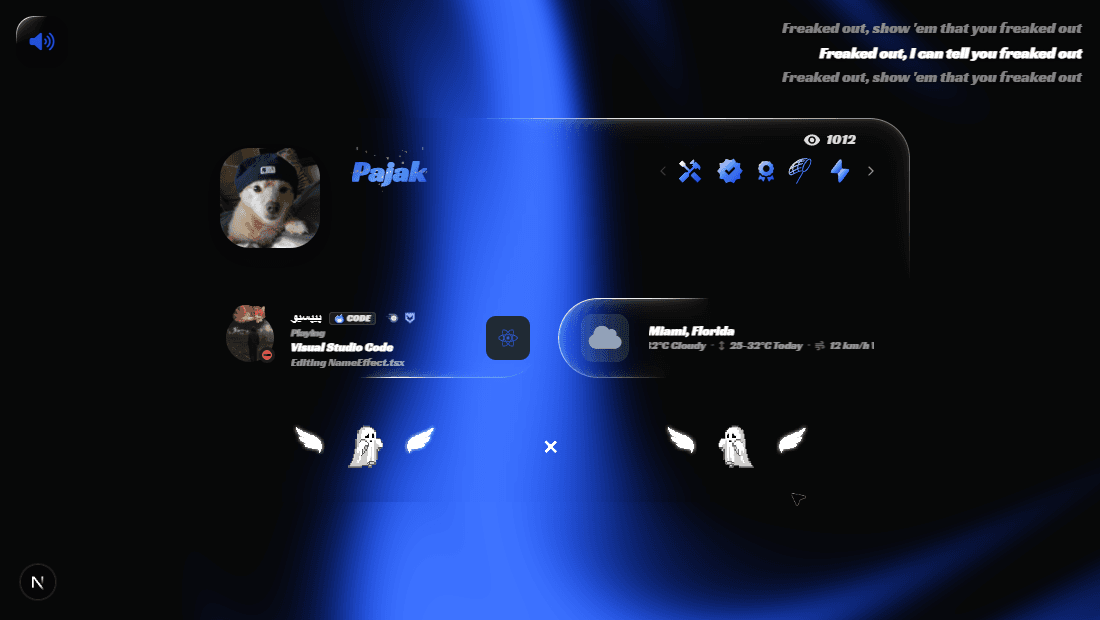
- The lines are clickable here too: select one and the track jumps to it.
- It is pinned to the page, not to the card, so it works in every layout — including Portfolio, which does not render the usual widget stack at all.
- It scrolls with nothing: the overlay stays in the corner while the visitor moves down your profile.
It does not take a slot
Because the corner player is an overlay rather than a tile, it does not occupy a place in your widget grid and does not push anything down. It is the one music style you can run without giving up card space.
The Music Player widget uses these uploaded tracks. If the widget says the player is disabled, enable Audio Player in the Audio Manager first.