
Profiles
Create, duplicate and switch between independent versions of your flexbio page.
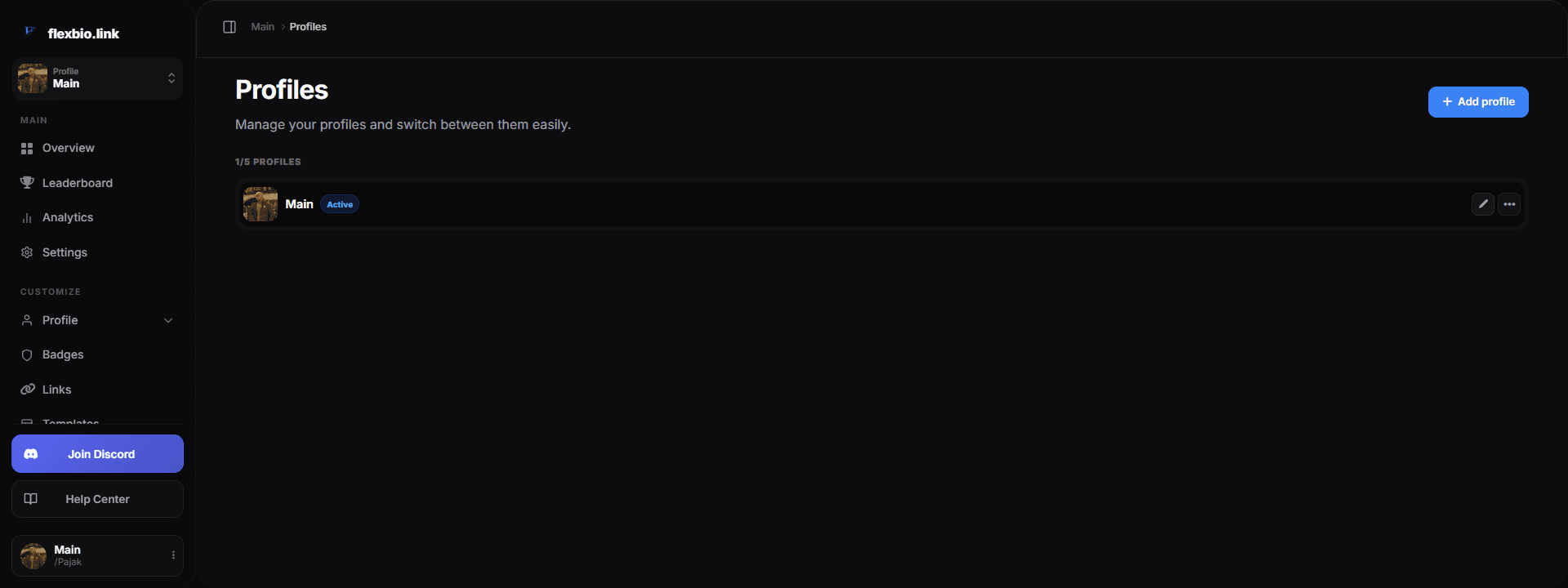
Profiles let one account keep up to five independent versions of its page. Only one version is active and visible to visitors at a time; switching does not delete the previous setup.
How profile URLs work
Profiles are versions of one account, not separate accounts. Your username URL, username subdomain and optional alias always open the currently active profile. Individual versions do not receive separate URLs.
For example, switching from Main to Creator changes what visitors see at both flexbio.link/username and username.flexbio.link while preserving Main for later.
Create or duplicate
- Add Profile creates a clean version with default settings and no avatar, background, links, audio, custom badges or portfolio content.
- Duplicate in the three-dot actions creates a copy of that version's current appearance and content.
- One account can keep up to five profiles.
Switch the active profile
Open the profile selector in the sidebar and choose a version, or use Activate from its three-dot actions. The dashboard saves the current version and restores the selected one. Visitors then see the newly active version at the same profile addresses.
Save your changes first
The dashboard refuses to switch while the current section has unsaved changes. Save or discard them before activating another profile.
Profile actions
- Rename changes only the version's private label. It does not change your username or public URLs.
- Duplicate copies the selected version into a new profile slot.
- Reset replaces that version with a clean profile after confirmation.
- Delete permanently removes an inactive version after confirmation. The active profile and the last remaining profile cannot be deleted.
What stays shared
Username, alias, email, password, roles, verification, security settings, sessions and account statistics belong to the account. Appearance, profile text, avatar, background, links, audio, custom badges and portfolio content belong to the selected profile version.