
Share Your Profile
Your profile URL, the QR code, link previews, and where to put your flexbio link.
Your profile lives at flexbio.link/username. That URL is the only thing you need to share — it works everywhere, on every device, with no app required.
Copy the link
Open the card at the bottom of the sidebar and choose Share Profile.
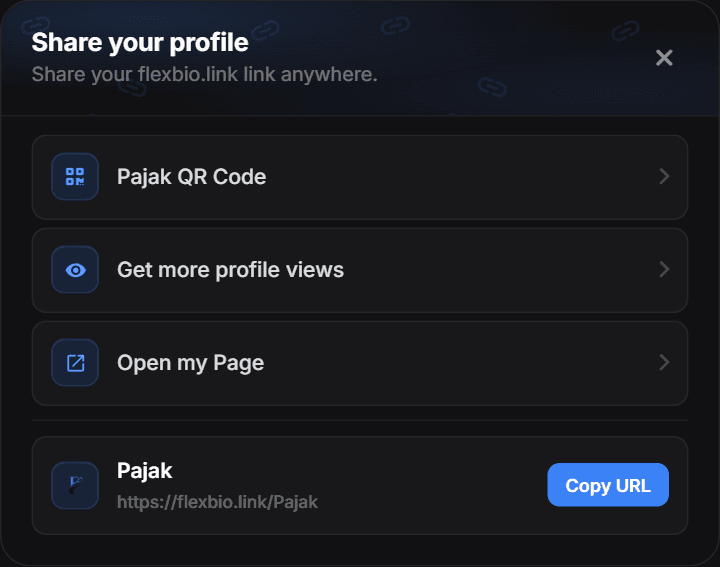
- QR Code — generates a scannable code you can save as an image — handy for streams, posters and business cards
- Get more profile views — tips for growing the number of people who open your link
- Open my Page — opens your public profile exactly as a visitor sees it
- Copy URL — your full address, copied to the clipboard in one click
Make the preview look good
When your link is pasted into Discord, X, Telegram or iMessage, those apps read the metadata of your page to build the preview card. Set it in Customize → Profile → Metadata:
- Title — usually your display name or handle.
- Description — one short line; long descriptions get cut off.
- Image — the thumbnail shown in the preview.
Previews are cached
Most platforms cache a link preview for hours or days. After you change metadata, an old preview may keep showing — that is the platform's cache, not your profile.
Details and the exact fields are in Metadata.
Where to put your link
- Discord — in your "About Me" and in server intro channels.
- TikTok / Instagram — the website field on your profile.
- X / Bluesky — the website field, and pinned in a post.
- Twitch / YouTube — the channel links panel or the video description.
- Steam — your profile summary.
Aliases and profile versions
Your username URL, username subdomain and optional path-only alias always open the active version. Individual versions do not receive separate addresses — see Profiles.
Check that it works
Open the link in a private window while signed out. That is the exact experience a visitor gets: if something looks wrong there, it is wrong for everyone. Views from that visit also show up in Analytics within a few minutes.