Widgets
Live cards for Discord, Spotify, Last.fm, Roblox, Steam, GitHub, YouTube, Telegram and more.
Widgets are live cards that pull data from another platform and render it on your profile. Unlike a link, a widget shows something — a now-playing track, a rank, a subscriber count.
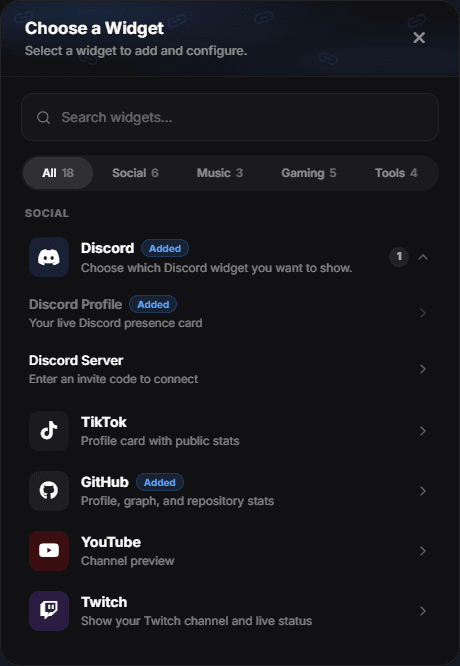
Available widgets
| Widget | Shows |
|---|---|
| Discord | Your Discord presence |
| Spotify | What you are listening to |
| Last.fm | Your recent scrobbles |
| Music Player | A player for your own profile audio |
| Roblox | Your Roblox profile |
| Steam | Your Steam profile |
| NameMC | Your Minecraft profile |
| GitHub | Your GitHub profile and activity |
| YouTube | Your channel |
| Twitch | Your channel, followers and live status |
| TikTok | Your TikTok profile |
| Telegram | Your Telegram profile |
| Weather | The weather where you are |
| Timezone | Your local time |
| Chess.com | Your Chess.com ratings |
| Medal | One of your Medal clips |
| Showcase | Movies, games or tracks you picked |
| Gallery | Up to 8 photos or short videos (up to 30 s) in a carousel |
| flexbio Vault | What you own and what you spent |
Add a widget
- Open Customize → Profile → Widgets and choose the widget type.
- Paste the profile URL for that platform.
- Wait for the preview. A valid URL renders a preview and enables Connect; an invalid one does not.
- Connect, then save.
The URL must be the right kind
Each widget validates the URL you paste and only accepts links for that platform. Pasting a Spotify track URL into the Roblox widget will not produce a preview — the widget cannot fall back to guessing.
Widget data is not instant
Widgets read public data from the other platform. If your Spotify status is set to private, or your game profile is hidden, the widget has nothing to show. Data also refreshes on a delay, so a track that just changed may take a moment.
Keep the count low
Each widget adds height and one more external source that can be slow or unavailable. Two or three well-chosen widgets look curated; eight of them make the profile a scroll.
Customizing widgets
Widgets pick up your profile colours and can be arranged in Layout — including into a sidebar next to the card, which keeps them from pushing your links down.
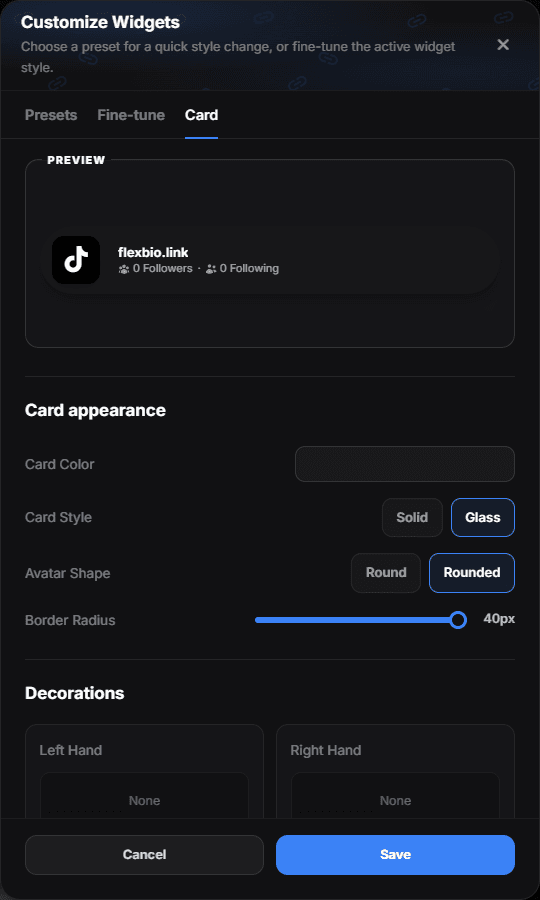
Customize widgets at the top of the page opens the widget customizer. Its Card tab sets the card colour and style, the border radius, the hand decorations, and Avatar Shape — Round or Rounded — shared by every widget that shows an account picture, the Discord profile included. The clock and the weather keep their own shapes.