
Shop
The Verified badge, the five Donator tiers and Flexbio Credits — what each one is, and how gifting Credits works.
The Shop at flexbio.link/shop sells optional extras. Nothing here is required to run a profile — every customization feature in this Help Center works without spending anything.
There are four products, and a link through to the Marketplace for rare identities.
Verified Badge
€14.99, one-time. Adds the verified checkmark next to your name on your profile. It is the same badge staff grant to recognised content creators — buying it is simply the other route to it.
Donator Badge
A badge that marks you as a supporter, in five tiers. The higher the tier, the more distinct the icon.
| Tier | Name | Price |
|---|---|---|
| 1 | Supporter | €9.99 |
| 2 | Certified Baller | €49.99 |
| 3 | Wealthy | €99.99 |
| 4 | Financially Irresponsible | €199.99 |
| 5 | Generational Wealth | €499.99 |
Along with the badge it carries a special Discord role, access to supporter-only decision polls, and recognition on the donors page.
Flexbio Credits
The in-app currency, used to pay for eligible Marketplace listings and future shop products. Four packs:
| Credits | Price |
|---|---|
| 500 | €4.99 |
| 1,100 | €9.99 |
| 2,875 | €24.99 |
| 12,000 | €99.99 |
Larger packs give more Credits per euro. You can buy up to 10 of the same pack in one order.
Gifting Credits
On the Credits page, switch the recipient from Personal to Gift and type a flexbio.link username. The field checks the name as you type and confirms the account before you can continue — the Credits are assigned to that account after payment.
Check the spelling, not just the tick
The check confirms the username exists, not that it belongs to the person you have in mind. A gift cannot be reassigned once it has been paid for.
Alias Slot
An Alias Slot is one more address that leads to your profile — on top of your username and the alias you already have, which stay unchanged. Pick the slot by length:
| Slot | Length | Price |
|---|---|---|
| Standard Alias | 6–30 characters | €1.99 · 199 Credits |
| Short Alias | 4–5 characters | €3.99 · 399 Credits |
| Rare Alias | 1–3 characters | €7.99 · 799 Credits |
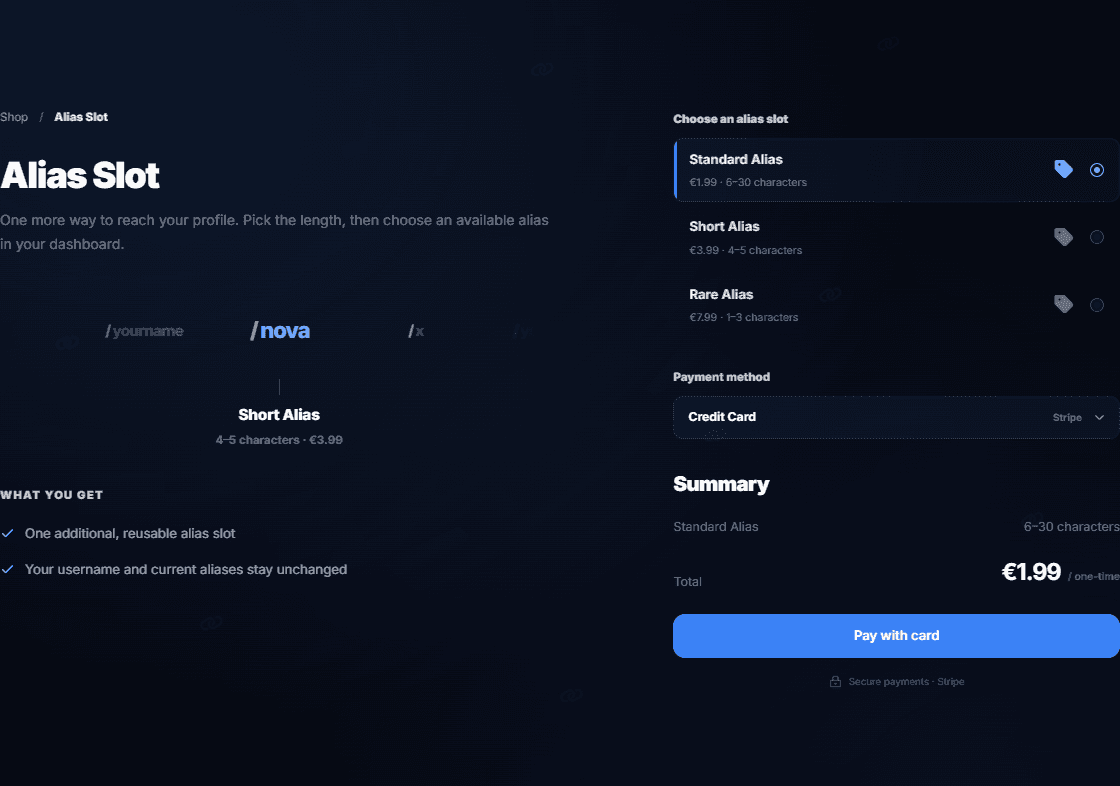
Unlike the other Shop products, a slot can be paid by card or with Flexbio Credits — switch the Payment method. You do not choose the name at checkout: after paying, open Dashboard → Settings → Manage URLs and type a free name that fits the slot's length. Choose carefully: once saved, the alias cannot be changed or removed. Alias slots cannot be gifted.
Gift Link and Giveaway
Credits and the Verified badge can also be gifted without naming anyone. Next to Personal and Gift, the switch has two more options:
- Gift Link — after payment you get a single-use code and a link (also in your notifications). Whoever redeems it receives the gift, so share it only with the person it is for.
- Giveaway — after payment, run
/giveaway gifton our Discord server and choose how long it runs (1 hour to 7 days). There is always one winner, and only members whose Discord is linked to a flexbio.link account can enter. Hosting one needs your own Discord linked too.
The giveaway winner gets a code in a Discord DM and has 14 days to redeem it. If nobody eligible enters, or the winner does not redeem it in time, your payment is refunded automatically.
The whole flow — entering, the winner's code, refunds — is described in Giveaways.
Redeeming a code
Open flexbio.link/redeem while signed in, enter the code and press Redeem — the Credits or the Verified badge land on your account straight away. A code works once, and a giveaway code works only on the winner's linked account.
Paying
Payments are handled by Stripe Checkout — flexbio.link never receives or stores your card number. Shop products (Flexbio Credits, the Verified badge and Donator tiers) are paid for by card. Credits are spent on Marketplace listings, which accept either a card or Credits you already hold.
flexbio.link/shop is the only shop
Badges are sold here and nowhere else. Nobody in Discord DMs can sell you a badge, and no one ever needs your password or a "verification" link to grant one. See Security and 2FA.